GitHub Actions vs GitLab CI for Startups in 2026
GitHub Actions vs GitLab CI has gotten complicated with all the vendor marketing and breathless comparison posts flying around. I get asked this constantly — usually from a founder who just got off a call with a GitLab sales rep and is suddenly second-guessing everything. Having run CI/CD pipelines across both platforms for teams ranging from two engineers to 200, I’ll give you the honest answer most comparison articles won’t. Today, I will share it all with you.
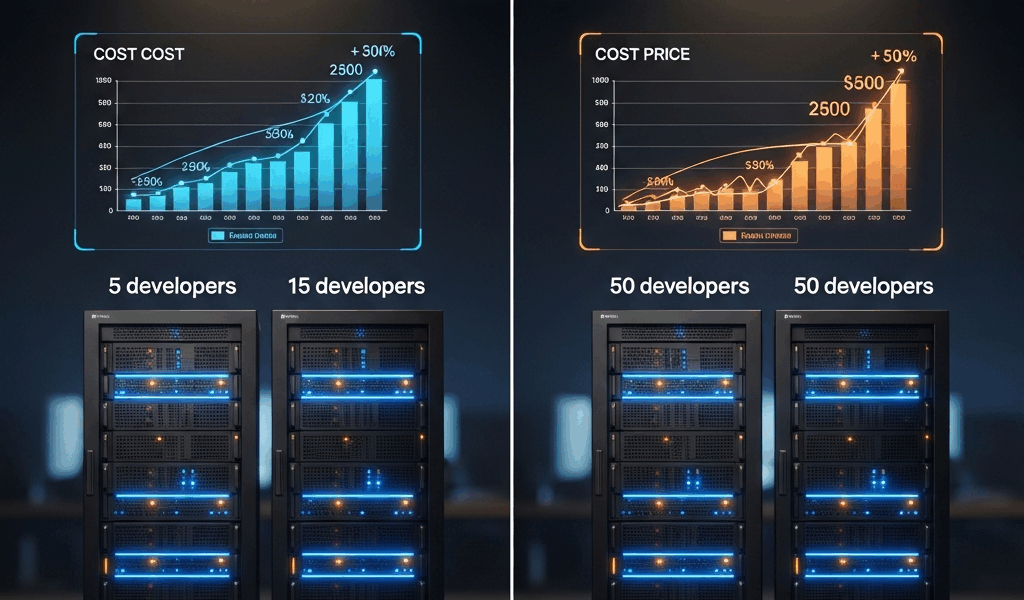
The right choice is almost entirely a function of your team size and your monthly compute bill. Not which platform has the prettier dashboard. This article skips the feature matrix — you can find that anywhere. Instead, we’re looking at what your actual invoice looks like at 5 developers, 15 developers, and 50 developers. And when each platform genuinely wins.
The Verdict for Each Team Size
Three rules. Commit them to memory before reading the rest.
- Under 5 devs: Use GitHub Actions, full stop. The free tier’s 2,000 minutes per month covers you completely.
- 15 devs, ~50 builds per day: GitHub Actions Team at $4 per user per month still beats GitLab Premium at $29 per user per month — often by a factor of five.
- Enterprise compliance needs — HIPAA, PCI-DSS, SOC2: GitLab CI with its bundled security scanning is worth the $99 per user per month at the Ultimate tier.
One-line verdict for each: small team on a budget, stay on GitHub. Growing team with regulatory pressure, look hard at GitLab. Everyone else — the math still favors GitHub. So, without further ado, let’s dive in.
Free Tier Math — Where GitHub Wins
This is where GitLab’s free tier collapses under real-world usage. Let me show you the numbers.
GitHub Actions free tier gives you 2,000 CI minutes per month on Linux runners, per organization. GitLab CI free tier gives you 400 minutes per month total — not per user, not per project, total. That’s the whole kitchen budget for every pipeline across your entire organization.
Run the math for a 5-developer startup. Say you’re pushing code twice a day per engineer, triggering a build that runs unit tests, a linter, and a deploy preview. Each build takes roughly 5 minutes. That’s 10 builds per day across the team, 50 minutes of compute daily, roughly 1,500 minutes per month.
GitHub Free tier: covered. You’ve got 2,000 minutes and you’re using 1,500. No bill, no overage, nothing.
GitLab Free tier: you blew past your 400-minute cap in the first eight days of the month. Your pipelines start failing or queuing indefinitely — depending on how GitLab is configured — and engineers start filing Slack messages wondering why CI is broken. You’re now paying for GitLab Premium at $29 per user just to run a basic pipeline. That’s $145 per month for 5 developers versus $0 on GitHub.
Honestly, that single data point should end the conversation for early-stage startups. GitLab’s 400-minute free cap made sense when it was introduced. In 2026 with containerized builds and modern test suites, it’s essentially not a real free tier for any active development team.
The Hidden Cost — Compute-Minute Pricing
Probably should have opened with this section, honestly — because this is where the spreadsheet gets messy and most founders get surprised by their first invoice.
Both platforms charge overage when you exceed included minutes on hosted runners. The rates are not the same.
| Runner Type | GitHub Actions (per min) | GitLab CI (per min) |
|---|---|---|
| Linux (2-core) | $0.008 | $0.010 |
| Windows | $0.016 | $0.020 |
| macOS (M1/M2) | $0.160 | $0.080 |
For Linux builds — which covers 90% of startups — GitHub is cheaper at $0.008 per minute versus GitLab’s $0.010. Not a massive gap, but it compounds fast.
Real scenario: a 15-developer team running 50 builds per day, each build averaging 8 minutes on Linux. That’s 400 minutes per day, 12,000 minutes per month of compute.
- GitHub Actions Team: $4/user × 15 = $60/month. Includes 3,000 minutes. Overage: 9,000 minutes × $0.008 = $72. Total: $132/month.
- GitLab Premium: $29/user × 15 = $435/month. Includes 10,000 minutes. Overage: 2,000 minutes × $0.010 = $20. Total: $455/month.
GitHub wins by $323 per month at this scale. That’s $3,876 per year — enough to hire a part-time contractor for a solid month of work.
One exception worth flagging: if you’re building iOS apps and running macOS builds, the table flips. GitLab charges $0.08 per minute for macOS versus GitHub’s $0.16. A mobile startup running 1,000 macOS minutes per month pays $80 on GitLab versus $160 on GitHub. Self-hosted Mac minis solve this for both platforms — but if you’re not there yet, factor this in before you decide.
When GitLab CI Wins — Compliance and Security
I got burned by a SOC2 audit two years into a product once. The auditor wanted evidence of static application security testing, dependency scanning, secret detection, and container image scanning — all running in CI, all with audit logs. On GitHub Actions at the time, we had to bolt together four separate tools, three of which carried their own licensing costs. Don’t make my mistake.
GitLab Premium ($29/user) and GitLab Ultimate ($99/user) bundle all of this natively:
- SAST (Static Application Security Testing)
- DAST (Dynamic Application Security Testing)
- Dependency scanning
- Secret detection
- Container scanning
- License compliance
But what is GitHub’s equivalent here? In essence, it’s GitHub Advanced Security at $49 per active committer per month — on top of your GitHub Enterprise Cloud subscription at $21 per user per month. So for a 50-developer team needing compliance tooling: GitHub Enterprise Cloud plus Advanced Security = ($21 + $49) × 50 = $3,500 per month. GitLab Ultimate = $99 × 50 = $4,950 per month. GitHub still wins on pure cost. But the integration is tighter on GitLab, the security dashboard is genuinely better, and the audit evidence it produces is cleaner.
Fintech startup working toward PCI-DSS compliance? Health-tech dealing with HIPAA? Any company trying to close enterprise contracts that require SOC2 Type II? GitLab’s bundled scanning is not just a nice-to-have. It’s the difference between a two-week audit prep and a six-week one.
Marketplace and Pre-Built Actions
GitHub Actions Marketplace: approximately 20,000 community actions as of mid-2026. GitLab CI/CD Catalog: approximately 600 components. This gap matters more than the raw number suggests.
That’s what makes GitHub’s ecosystem endearing to us developers who are iterating fast — integrating a new data warehouse, wiring up a new deployment target, adding a Slack notification with a custom payload. Someone has almost certainly already built what you need. Grab it, drop in two lines of YAML, done.
Frustrated by a three-hour rabbit hole trying to get OIDC-based AWS deployments working on GitLab CI, I eventually wrote our own .gitlab-ci.yml snippet from scratch. The GitHub Actions version of the same workflow — using the official aws-actions/configure-aws-credentials@v4 action — looked like this:
- name: Configure AWS Credentials
  uses: aws-actions/configure-aws-credentials@v4
  with:
    role-to-assume: arn:aws:iam::123456789012:role/my-role
    aws-region: us-east-1
Five lines. No custom scripts, no manually fetching OIDC tokens, no documentation archaeology. GitLab can do OIDC with AWS — but you’re writing more of it yourself, relying on community-maintained examples that are sometimes a year out of date.
For a startup where every engineer hour is expensive, the marketplace gap is a real productivity cost. Small teams feel this most — there’s no dedicated platform engineer to maintain custom CI abstractions.
Migration Friction — Sunk Cost
Here’s the conversation I have with founders who’ve decided they want to switch platforms after reading a blog post.
Migration between CI platforms is not a weekend project. Realistically, plan for two to four weeks of a senior engineer’s time. You’re rewriting pipeline definitions, validating that secret injection works correctly in the new environment, recreating environment-specific runner configurations, and debugging the edge cases that only surface when a pipeline that’s been running for 18 months hits a branch name with a slash in it.
At a blended senior engineer cost of $100 to $200 per hour, four weeks of migration work runs $16,000 to $32,000 in loaded labor cost. Add two to three weeks of reduced team productivity while everyone learns the new platform’s quirks — and you’re closer to $20,000 to $40,000 in real economic cost.
The math rule: only migrate if your annual savings on the destination platform exceed $10,000. If you’re a 15-developer team and switching saves you $4,000 per year, the migration will take 5 to 10 years to pay back. Don’t do it.
Stay where you are unless the compliance, security, or cost gap is dramatic. Pick your platform early and commit — at least if you want to avoid a very painful quarter.
The All-In-One Trap
GitLab’s sales pitch is compelling: one platform for issue tracking, merge requests, code review, CI/CD, artifact registry, security scanning, feature flags. No integrations to maintain. No Zapier glue holding things together.
It’s a real advantage — for teams that actually use all of it.
In practice, most startups arrive at GitLab having already committed to a different stack. Linear for issue tracking. Notion for documentation. Slack with a GitHub integration for code review notifications. Datadog for observability. When you move to GitLab and pay $29 per user for Premium, you’re paying partly for GitLab Issues, GitLab Wiki, and GitLab Service Desk — features you will never enable because the team already has better-fit tools they’re not going to abandon.
I’m apparently a Linear-first person and that workflow works for me while GitLab Issues never quite clicked. Don’t make my mistake and pay for bundled features you won’t use. GitLab’s all-in-one value proposition is real when you’re starting fresh with no existing toolchain. It’s mostly noise when you’re adding CI/CD to an existing GitHub workflow.
Recommended Setup for Each Stage
Here’s how I’d set it up, stage by stage, if I were advising a startup from the first commit through Series A and beyond.
Pre-Seed — 1 to 3 Developers
GitHub Free tier. 2,000 minutes per month, unlimited public repos, Dependabot alerts built in. Cost: $0. Don’t overthink this. Use the branch protection rules, set up a basic push-triggered workflow for tests, and ship product. First, you should get a simple push-triggered test workflow running — at least if you want any safety net before you’ve hired your second engineer.
Seed — 5 to 15 Developers
GitHub Team at $4 per user per month. Add Codecov for coverage reporting — free tier for open source, $10/month for private repos up to 10 users. Keep Dependabot enabled. Total for a 10-person team: roughly $50/month all-in. This handles 3,000 included Linux minutes per month and gives you proper code review workflows, branch protection, and team-level access controls.
Series A — 15 to 50 Developers
Two paths here depending on compliance pressure.
- No compliance requirements: GitHub Team scales fine. Consider adding self-hosted runners on AWS t3.medium instances ($0.0416/hour) to cut compute costs if you’re heavy on build minutes.
- SOC2 or regulated industry: GitHub Enterprise Cloud ($21/user) plus GitHub Advanced Security ($49/user active committer). Or evaluate GitLab Premium seriously — the bundled security tooling produces cleaner audit artifacts.
Growth — 50-Plus Developers in a Regulated Industry
GitLab Premium might be the best option here, as compliance work at this scale requires centralized CI evidence. That is because a compliance team collecting audit artifacts from four separate tools is burning real hours every quarter. GitLab Ultimate at $99 per user for 60 developers is $5,940 per month — but if it replaces $2,000/month in Snyk licenses, $1,500/month in other security scanning tools, and four weeks of compliance engineer time per year, the math closes.
Run your own numbers. Don’t take my word for it — or GitLab’s sales team’s word for it. Build a spreadsheet with your actual build minutes, your actual user count, and your actual security tooling spend. The answer will be obvious.
The GitHub Actions vs GitLab CI decision in 2026 is not a religious debate. It’s arithmetic. For most startups reading this, the arithmetic says GitHub until it doesn’t — and you’ll know when that moment arrives because your compliance team will tell you.



Leave a Reply